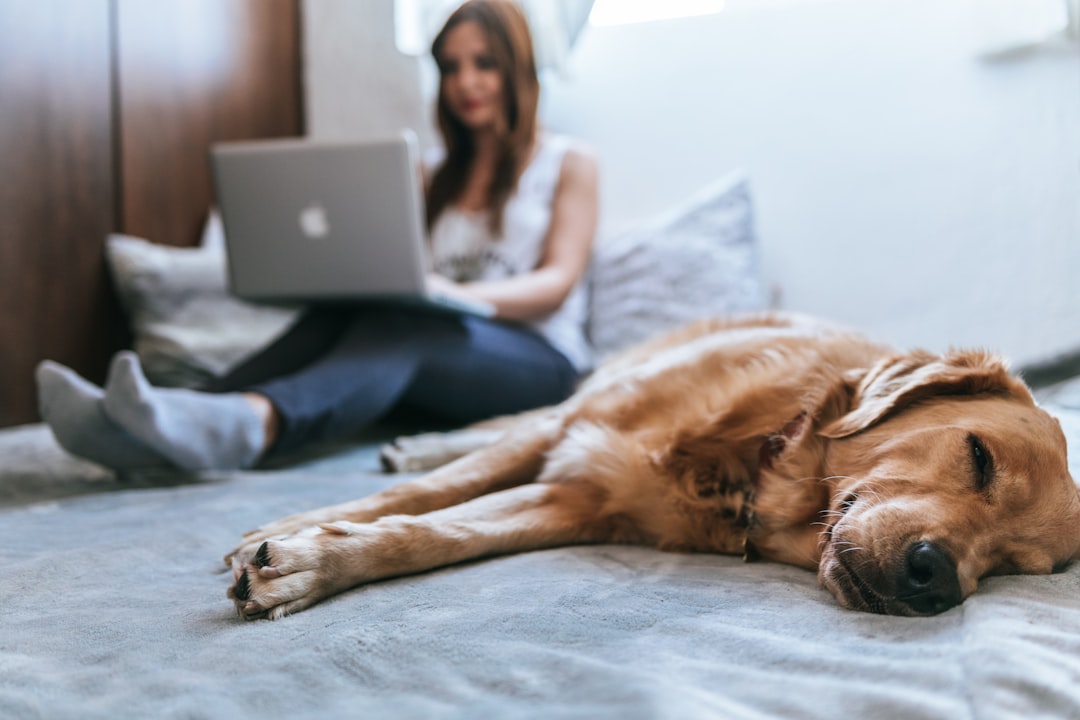
Cut costly ER visits with a tele-vet station you can build for under $600
When your dog suddenly limps at 10 p.m. or your cat’s appetite drops, the first question is often: do I rush to the emergency clinic or call the vet and hope for a quick answer? High, unpredictable veterinary bills and confusing triage options are exactly why a simple home telemedicine setup can be a game-changer. In 2026, with better consumer gear, wider vet acceptance of video consults, and fresh discounts on small desktops and smart lighting, a functional tele-vet station is both affordable and practical.
Why tele-vet matters now (2026 trends)
Veterinary telemedicine matured rapidly after 2020 and accelerated through 2024–2025. By late 2025 many clinics added video triage and routine follow-ups to reduce in-clinic congestion and offer preventative guidance. At industry shows like CES 2026, manufacturers showcased pet-focused cameras and smarter lighting geared toward at-home examinations, underscoring the trend toward consumer telehealth in pet care.
Two practical developments you can use today:
- Greater acceptance of video consults for preventive care (weight checks, behavior, wound checks, medication follow-ups).
- Wide availability of budget, high-quality hardware—webcams, microphones, and compact desktops—often discounted in early-2026 sales.
Notable deals this winter include a discount on the Apple Mac mini M4 (about $100 off in early 2026) and price drops on smart lamps like the Govee RGBIC model—both items that make a small, quiet tele-vet station fast, stable, and pet-friendly (sources: Engadget, Kotaku, CES coverage, early 2026).
How to build a tele-vet station on a budget: step-by-step
Below are three practical builds—Ultra‑Budget, Mid‑Range (best value), and Pro—each showing components, approximate costs (USD), and why each item matters for veterinary video consults.
Core principles for any build
- Stable internet: 10–25 Mbps upload recommended for clear video.
- Good lighting: Soft, even light to show skin, eyes, wounds, or limps.
- Clear audio: So the vet hears breathing, coughing, or panting and can ask questions.
- Comfortable pet handling: Keep treats, a towel, and a helper close.
Ultra‑Budget Build (~$80–$200)
Best if you already own a smartphone.
- Smartphone (existing): Modern phones have excellent cameras—use portrait or video mode.
- Tripod and phone mount: $15–$30. Stabilizes the camera and frees your hands.
- Clip-on LED light: $10–$25. A small, dimmable LED ensures you can illuminate the pet’s face or wound without harsh shadows.
- External microphone (optional): $20–$50 lavalier mic for clearer audio if your phone’s mic struggles at distance.
- Pet camera (optional): Basic Wyze-style cameras start around $25–$40 if you want a persistent view to check behavior between consults.
Why it works: Many clinics will accept smartphone video and the ultra-budget path is the fastest way to get tele-vet access. Use free telehealth apps or the clinic’s portal.
Mid‑Range Build — Best Value (~$500–$900)
This is the sweet spot for families who want a reliable desktop experience for frequent consults and preventive follow-ups.
- Computer: Mac mini M4 — early‑2026 deals reduced the price by roughly $100 on base models (16GB/256GB often on sale). The M4 is compact, fast, and great for running multiple apps and cloud backups.
- Webcam: 1080p to 4K webcam with autofocus ($50–$150). Choose a model with good low-light performance.
- USB microphone: $40–$120. A small USB condenser or dynamic mic with a pop filter improves voice clarity.
- Smart lamp: Govee RGBIC smart lamp (discounted in January 2026). Use soft white or daylight settings to get even lighting without startling pets.
- Tripod/arm + tethering: $20–$60. Flexible mounting for the webcam or extra camera angle.
- Pet camera: Dedicated pet cams with treat toss or two-way audio ($80–$200) for remote monitoring and follow-up checks.
Why it works: The Mac mini M4 gives you a stable desktop for tele-vet portals, storing recordings, and running pet health apps. The smart lamp provides consistent, adjustable lighting—critical for showing rashes, ear canals, skin folds, and wounds.
Pro Build (~$1,200+)
For multi-pet households, breeders, or owners who do frequent chronic-care video consults.
- Higher-tier Mac mini M4 Pro or compact desktop with Thunderbolt 5 for fast peripherals.
- 4K HDR webcam + secondary close-up camera.
- USB or XLR microphone with audio interface for studio-quality sound.
- Dedicated ring light + softbox for balanced illumination.
- Smart pet camera with HD, motion tracking, and treat dispenser.
- Battery backup (UPS) to avoid dropped calls during power blips.
Why it works: Pro builds provide diagnostic-level clarity and reliable recordings useful for specialist referrals and documenting chronic conditions.
Detailed gear choices and why they matter
Camera: webcam vs. pet camera vs. smartphone
Use a webcam or smartphone for live consults where you’ll need to show close-up areas. Pet cameras are excellent for monitoring behavior between appointments and for vets to review footage of seizures, sleep patterns, or nighttime coughing.
- Resolution: 1080p is enough for most vets; 4K is useful for skin and ear detail.
- Low-light sensitivity: Look for sensors noted for low-light performance (important for anxious pets who hide in dim corners).
- Frame rate: 30 fps is fine; 60 fps helps when showing gait or tremors.
Audio: don’t skip a proper mic
Pet breathing, coughing, and vocalizing are diagnostic clues. A cheap clip-on mic or a small USB mic greatly improves the vet’s ability to assess respiratory noise, the tone of barking, or labored breathing.
Lighting: soft, directional, and adjustable
Smart lamps like the discounted Govee RGBIC let you switch to neutral daylight or warmer tones and control intensity without moving the lamp. That flexibility reduces glare on fur and helps reveal color changes in skin or gums.
Mounts and handling tools
Use a small stool, towel, or grooming mat to keep your pet steady. A second phone or camera on a tripod for close-ups helps document specific areas while the main camera stays fixed on the pet’s overall posture and behavior.
Setup and test checklist (before your first tele-vet consult)
- Internet speed: Run a quick speed test. Aim for at least 5–10 Mbps upload. If Wi‑Fi is weak, use Ethernet to your desktop or a USB-C Ethernet adapter for Mac mini.
- Lighting test: Place the lamp at a 45° angle to the pet’s face to limit shadows. Test different color temperatures (4000K–6000K range works well).
- Audio test: Record 30 seconds of the pet breathing and make a short video describing symptoms. Play it back to check clarity.
- Camera angles: Have one wide angle (full body) and one close-up (skin/ear/mouth). Practice switching or use two devices.
- Calm the pet: Use treats, a helper, or a towel to reduce movement. For fractious animals, schedule consults when the pet is relaxed or after a walk.
- Privacy: Close personal windows, mute notifications, and use the clinic’s secure portal where possible.
Pro Tip: Record a 10–20 second clip showing the problem area before the call. Uploading a short video often helps vets make faster, more accurate recommendations than a live shaky feed.
How tele-vet supports preventive care and saves money
Tele-vet consults are especially useful for preventive care: nutritional check-ins, weight management, behavior consultations, medication follow-ups, and early detection of skin, ear, and dental issues.
- Early detection: A vet can spot redness, lumps, or early infections that, if untreated, would require costlier procedures.
- Medication optimization: Adjusting doses based on video assessment avoids unnecessary drug costs and side effects.
- Reduced ER use: Video triage helps determine when a trip is necessary versus when monitored at home care is safe.
Example (realistic household scenario): Sarah’s indoor cat developed intermittent head shaking overnight. A short recorded video showed ear discharge. Her clinic scheduled a tele-visit, started antibiotic drops, and followed up with another video check. The quick intervention prevented worsening infection and likely saved more than $800 that an emergency visit and sedation might have cost.
Patient privacy, data security, and consent
Use the clinic’s recommended portal when possible. If you use general video platforms, be aware of privacy settings—disable cloud recording unless you explicitly consent. For pet health records, make sure vets use encrypted systems and you keep backups of any important videos in a secure folder. Consider using local offline backup tools or a secure cloud folder for key clips and evidence.
Advanced strategies and what to expect next (late 2025–2027)
Expect faster integration of AI-assisted triage tools that flag concerning patterns in video (e.g., abnormal gait, seizure-like motions). Pet wearables (activity trackers, smart collars with temperature sensing) will increasingly feed data into telemedicine visits for a fuller picture. Clinics are also experimenting with hybrid models where a video consult triggers a nurse or tech house call when necessary.
From a buyer’s perspective, watch for these trends:
- Bundled telemedicine packages from insurers or clinics that lower per-visit costs.
- Smarter pet cameras with clinical modes for vets (higher frame rates, low-light modes).
- More polished vet portals with integrated scheduling, video, and EHR notes.
Where to find current deals and save smartly
January–March 2026 often has solid discounts on small desktops (like Mac mini M4 deals mentioned by Engadget) and on smart-home products (Govee discounts reported in January 2026). To save:
- Check manufacturer refurbished units for desktops and webcams.
- Bundle purchases—retailers sometimes offer discounts when you buy a desktop with peripherals.
- Use price alerts and wait for mid-week tech deals.
- Compare warranties—spend a little more for better support if you rely on the station heavily.
Quick troubleshooting guide
- No video? Reboot the device, check permissions, and test on another app.
- Poor audio? Make sure nothing else is hogging bandwidth and place mic closer to you but away from panting.
- Buffering? Switch to Ethernet or move closer to the router; lower resolution temporarily.
Checklist: What to get this week
- Tripod + phone mount
- Clip-on LED or Govee smart lamp (if on sale)
- USB mic (or lavalier for phones)
- Mac mini M4 if you want a compact desktop and see a good early‑2026 deal
- Pet camera for ongoing monitoring
Final takeaways
Building a tele-vet home setup in 2026 is realistic, affordable, and directly tied to better preventive care and lower unexpected costs. Whether using your smartphone or a discounted Mac mini M4, focus on stable internet, soft lighting, and clear audio. Small investments—tripod, smart lamp, and a decent mic—pay off when a quick video consult prevents a next-day emergency visit.
Ready to put your tele-vet station together? Start with the ultra-budget checklist tonight: record a short clip of any current concern, test audio and lighting, and reach out to your clinic to confirm they accept video consults. The sooner you’re set up, the sooner you can skip unnecessary ER runs and keep your pet healthier with proactive care.
Call to action
Want a custom shopping list for your budget and pet type? Click to download our free, printable tele-vet setup checklist and savings guide (includes suggested models, price ranges, and a sample test script to send your vet). Get started today—your pet will thank you for faster, smarter preventive care.
Related Reading
- Product Roundup: Portable Telehealth Kits for Home Visits (2026 Field Report & Buying Guide)
- Telehealth Equipment & Patient‑Facing Tech — Practical Review and Deployment Playbook (2026)
- Smart Lamp vs Standard Lamp: Why Govee’s RGBIC Lamp Is a Better Bargain Right Now
- Reviewer Kit: Phone Cameras, PocketDoc Scanners and Timelapse Tools for Console Creators (2026)
- The Legal Risks of Adult-Themed Fan Content in Games: Lessons from Animal Crossing’s Deleted Island
- Nostalgia in a Bottle: Recreating 2016 Fragrance Throwbacks for Your Diffuser
- Why Your Business Should Stop Using Personal Gmail for Signed Declarations — A Migration Checklist
- Checklist for Writing Franchise-Friendly Spec Scripts: Avoiding Common Red Flags
- Where to Find Darkwood in Hytale: Complete Guide to Whisperfront Frontiers