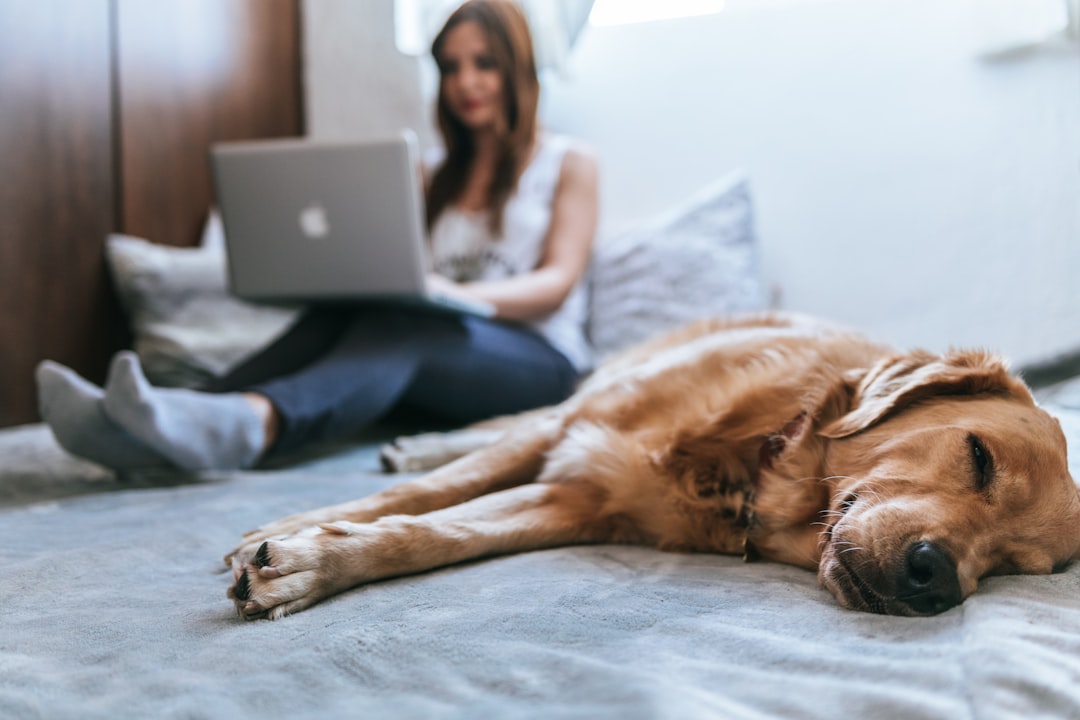
Stop panic vet bills: build a budget pet monitor from tech deals (fast)
Worried about surprise vet bills and slow claims? In 2026 you don’t need expensive, single-purpose pet hardware to protect your dog or cat. By combining discounted smart lamps, long‑battery smartwatches, compact desktop deals like the Mac mini M4, and affordable pet cameras, you can build a local, privacy‑first home monitoring system that catches problems early, supports telemedicine triage, and produces the timestamped evidence insurers want.
Bottom line (most important first)
For roughly the price of one emergency visit, you can assemble a budget pet monitor that: 1) detects abnormal activity automatically, 2) alerts you via smartwatch and phone, 3) streams video for vet telemedicine, and 4) stores secure footage to support claims. Right now (Jan‑Feb 2026), key components are on sale: Govee RGBIC smart lamps, long‑life Amazfit style smartwatches, and Apple Mac mini M4 discounts — all of which make a capable DIY monitoring hub affordable.
Why this strategy matters in 2026
Three forces make a DIY, discount‑powered pet monitor both practical and timely:
- On‑device AI and local processing: More apps and tools in late 2025–2026 support local video analysis to detect pet distress (pacing, vomiting, seizure‑like movements), reducing cloud costs and privacy exposure.
- Retail discounts on useful gear: Early 2026 sales (for example, discounted Govee RGBIC smart lamps and price cuts on the Mac mini M4) create an opportunity to buy components that previously cost a premium.
- Telemedicine acceptance is mainstream: Vets increasingly accept live video for triage. A timely video clip can avoid an urgent clinic trip or justify immediate treatment.
A small, smartly assembled monitoring hub can catch problems hours before they become emergencies — and give you the evidence insurers and vets need.
What you'll build: overview of the system
The goal is a resilient, low‑cost system consisting of:
- Pet camera(s) for live video and two‑way audio (positioned in rooms where your pet spends most time).
- Local hub — a discounted Apple Mac mini M4 (or small home server) running Home Assistant + NVR/AI detection or a lightweight Linux VM.
- Smart lamp (like the discounted Govee RGBIC) acting as a visual status light and calming night light.
- Smartwatch or phone to receive instant alerts and join telemedicine calls — long battery watches like the Amazfit series minimize missed alerts.
- Optional: USB Coral TPU or equivalent for faster local AI inference (if you want more accurate object/behavior detection).
Roles — why each part matters
- Pet camera: primary sensor — motion, sound, two‑way audio, night vision.
- Local hub (Mac mini M4): stores video, runs detection models, orchestrates automations and backups — with the M4’s performance you can do on‑device analysis without relying on paid cloud tiers.
- Smart lamp: low‑cost indicator that something needs attention and a calming light to reduce pet anxiety in some situations.
- Smartwatch: ensures you get notifications even when your phone is off or far away — useful during sleep or when you’re out running errands.
Parts list with shopping tips (budget to midrange)
Below are practical suggestions and where to look for discounts in early 2026.
- Mac mini M4 (discounted) — powerful small‑form computer great for local processing. Look for January sales; models were discounted to around $500 in early 2026 for base configs.
- Govee RGBIC Smart Lamp (sale) — cheap, bright, and integrates with Home Assistant via MQTT or vendor APIs.
- Pet camera choices: Wyze Cam v3, TP‑Link Tapo C320WS, or budget Reolink/Wireless cams with RTSP; pick wired power for reliability.
- Smartwatch: affordable long‑battery models (Amazfit Active Max style devices) or any watch with reliable notifications and LTE support if you want cellular alerts.
- Optional acceleration: USB Coral TPU or small edge AI accelerators if running heavier detection locally.
- Network gear: stable Wi‑Fi or wired Ethernet; small switch for wired cams if needed.
Estimated cost ranges
- Pet camera: $30–$120 each
- Smart lamp: $20–$60 on sale
- Mac mini M4: $500–$900 (sale dependent)
- Smartwatch: $100–$250
- Accessories (TPU, SD cards, mounts): $20–$120
Realistic total (1–2 cameras + hub + lamp + watch): $650–$1,200 depending on deals — usually less than one significant emergency vet visit.
Step‑by‑step: assemble the monitoring hub
The following is a practical, actionable path from out‑of‑the‑box to reliable monitoring with telemedicine support.
Step 1 — Buy the right deals
- Watch seasonal and January sales; price drops on the Mac mini M4 and Govee lamps in early 2026 make this build affordable.
- Choose wired cameras where possible for stability; battery cams are handy but add recharging maintenance.
Step 2 — Set up the Mac mini as your local hub
- Unbox the Mac mini and connect it to your network (Ethernet recommended for reliability).
- Create a small Ubuntu or Debian VM (VirtualBox/UTM) or run Docker for macOS and install Home Assistant Core and an NVR like Frigate NVR (or any RTSP‑friendly NVR).
- Configure storage: use an external SSD for NVR footage if you expect lots of video — keep at least 30 days of critical clips.
Why the Mac mini? It’s compact, quiet, and powerful enough to run ML inference locally. If you prefer an off‑the‑shelf NAS or Raspberry Pi approach, that also works — the key is local processing + reliable storage.
Step 3 — Camera placement and settings
- Position cameras to capture primary resting areas, water/food bowls, and litter boxes. Height: 5–7 feet to get a wide field of view.
- Enable continuous recording for critical rooms or configure motion detection with AI filtering to reduce false positives.
- Use two‑way audio when a calm voice helps (e.g., for separation anxiety).
Step 4 — Integrate the smart lamp as a visual alert and calming tool
- Connect the smart lamp to Home Assistant via the vendor integration or via MQTT/HTTP if you prefer local control.
- Create automations: red pulse on high‑priority alerts (severe motion + sound), amber for medium events (barking, pacing), green for normal status or successful check‑in.
- Use gentle warm hues at night as a calming ambient light for anxious pets — color and brightness can reduce stress in some animals.
Step 5 — Push alerts to smartwatch and phone
- Install the Home Assistant companion app on your phone and configure push notifications.
- Pair your smartwatch to receive those notifications (or install the watch app if available). Prioritize critical alerts only to avoid notification fatigue.
- Automations: if the system detects signs of distress (unusual pacing, vocalization, or collapse), send an urgent notification with a 30‑second video clip and a one‑tap telemedicine call link.
Software choices that save money
To avoid recurring cloud fees, favor local/open‑source solutions:
- Home Assistant — central automation platform with many device integrations.
- Frigate NVR — purpose‑built for local object detection using TensorFlow/YOLO models; configurable to only save clips with detected events.
- Alternatively, vendor apps (Wyze, Reolink) are easier but may require cloud subscriptions for video history.
How to use the system to reduce emergency vet visits
The value of monitoring is early detection. Here’s how to make it actionable:
- Pattern detection: Automations track baseline activity and notify you if your pet’s activity deviates (extended inactivity, repeated vomiting events, pacing, frequent trips to water bowl).
- Telemedicine triage: When alerted, open a live stream or send a short clip to your vet. Many clinics accept video and can advise whether the situation is urgent.
- Two‑way audio for calming interventions: When separation anxiety causes destructive behavior, a calm voice can often de‑escalate the situation until you return.
What to capture for telemedicine or claims
- Timestamped video clips showing the event and behavior leading up to it.
- Short logs: durations, frequency, triggers (e.g., loud noise, vomiting), plus environment—temperature, nearby hazards.
- Audio if relevant (e.g., choking or distress calls) — check local laws on audio recording in shared spaces first.
Using recordings to support insurance claims
Insurers look for objective, time‑stamped evidence and a clear medical narrative. Video plus logs can strengthen a claim:
- Export clips in common formats (MP4) with metadata showing time and device ID.
- Keep a chronological folder: incident clip, vet telemedicine note, receipts for treatment, and any diagnostics.
- Provide context: a short written summary of observed symptoms, when they started, and any triggers your system recorded.
- Back up footage securely (encrypted cloud backup or external drive) so it’s available if an insurer requests it later.
Privacy, legal, and safety notes
- Respect privacy: avoid placing cameras where people expect privacy (bathrooms, bedrooms if others live with you).
- Check local laws on audio recording; mute audio if unsure.
- Secure devices: change default passwords, enable two‑factor authentication for cloud accounts, and keep software updated.
Cost‑saving tactics & buying strategies
- Buy during seasonal deals: watch January and mid‑season sales; Govee lamps and Mac mini models saw notable discounts in early 2026. Consider curated-sale strategies in a curated commerce playbook.
- Mix new and refurbished: refurbished Mac minis and cameras often come with warranties at a steep discount.
- Skip cloud subscriptions by running local NVR/AI on your hub — the Mac mini M4 is powerful enough to do this well.
- Bundle discounts: retailers offer bundles or credit card promos; combine a lamp + camera + watch purchase to trigger additional savings.
- Use marketplace and trade‑in: trade in old devices to offset cost or buy gently used networking gear.
Advanced upgrades & future‑proofing (2026 trends)
When you're ready to scale or increase accuracy, consider these 2026‑relevant upgrades:
- On‑device ML using Apple Neural Engine: use the Mac mini M4’s neural capabilities for faster, private inference.
- Federated and privacy‑preserving analytics: newer integrations let you improve detection models without sending raw video to the cloud.
- Multimodal sensors: add inexpensive vibration/door sensors or water‑level sensors to catch emergencies like collapsed crates or spilled water bowls.
- Integrate health wearables: for dogs, GPS collars and activity trackers (Fi, Whistle) add another data stream but consider subscription costs.
Mini case example (how the system helps)
Imagine your cat starts vomiting at 3:00 AM. The camera detects repeated head‑down behavior and an audio spike; the NVR creates a 30‑second clip and your watch buzzes with a “possible GI distress” alert and a one‑tap vet call link. You open the stream, join a telemedicine session, and send the clip. The vet guides you to monitor fluids and offers an in‑clinic appointment if symptoms continue. Because you have recorded clips and a log, your claim later includes solid evidence of sudden onset and treatment — increasing the chance of a smooth coverage decision.
Quick checklist to get started tonight
- Buy one wired pet camera and a discounted smart lamp.
- Pick up a Mac mini M4 at sale price or repurpose an existing small PC as a hub.
- Install Home Assistant + an NVR (Frigate or vendor app).
- Configure alerts to your phone and smartwatch; create a “critical” automation that sends a clip and vet contact link.
- Test: simulate an event and confirm you receive the clip, notification, and that the lamp changes color.
Final actionable takeaways
- Start with a single camera + lamp and expand — you’ll learn placement and thresholds without overspending.
- Use local processing on a Mac mini M4 or small server to avoid recurring cloud fees and keep data private.
- Automate smart lamp alerts so household members can instantly see when attention is needed.
- Keep short, timestamped clips and written notes to improve telemedicine outcomes and support insurance claims.
Call to action
Ready to build your budget pet monitor? Start by checking the latest deals on smart lamps, smartwatches, and compact desktops — then follow the step‑by‑step plan above. If you want a tailored parts list for your home (one camera vs. multi‑room, dog vs. cat), click to download our free configuration checklist and budget calculator — and protect your pet without breaking the bank.
Related Reading
- The Modern Home Cloud Studio in 2026: Building a Creator‑First Edge at Home
- Buyer’s Guide 2026: On‑Device Edge Analytics and Sensor Gateways for Feed Quality Monitoring
- How Indie Cat Food Makers Win in 2026
- Field Review: Portable Lighting Kits & Ambient Solutions for Campsites (2026)
- Hybrid Studio Workflows — Flooring, Lighting and File Safety for Creators
- Virtual Fit, Real Tailoring: How Omnichannel Retail is Redefining Measurements and Alterations
- Treat Email Like Health Data: A Secure Communication Checklist for Nutrition Professionals
- Get Branded Swag Cheap: How to Use VistaPrint Coupons for Events and Product Launches
- Geography and Pay: Comparing Salaries for Real Estate Roles in Major Cities and Abroad
- AI Workforce vs Nearshore Staffing: A CTO Checklist for Procurement